Grand Haven Musical Fountain
Animated Choreographer
Experience the all-new AC3 — designed for ultimate ease of use and limitless creativity. Now Available.
Experience the all-new AC3 — designed for ultimate ease of use and limitless creativity. Now Available.
See the Musical Fountain show come to life as you create it. Watch realistic water and light effects update instantly with every change you make. You can even preview your entire show with the music exactly as it will appear on the real fountain — no more guesswork, just precision and creativity in perfect sync.
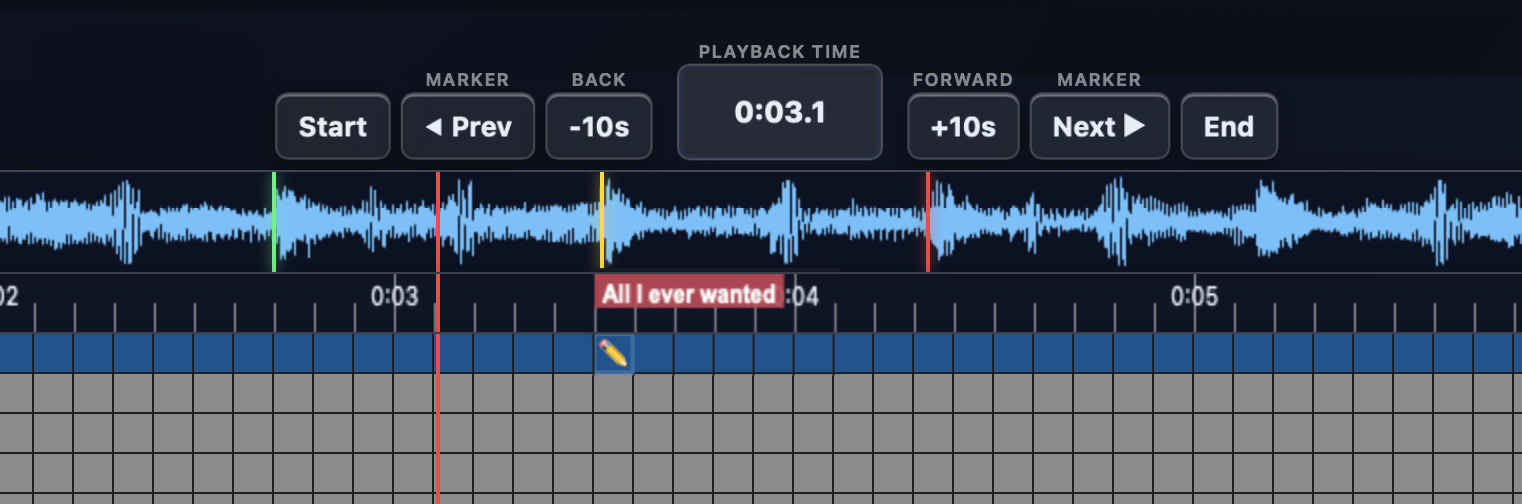
The new Playback Timeline gives you complete control over your show editing. See your audio waveform, notes, and custom markers all in one view. Effortlessly move forward or backward in time, jump directly to key moments, and even create a loopable playback area to fine-tune every detail with precision.
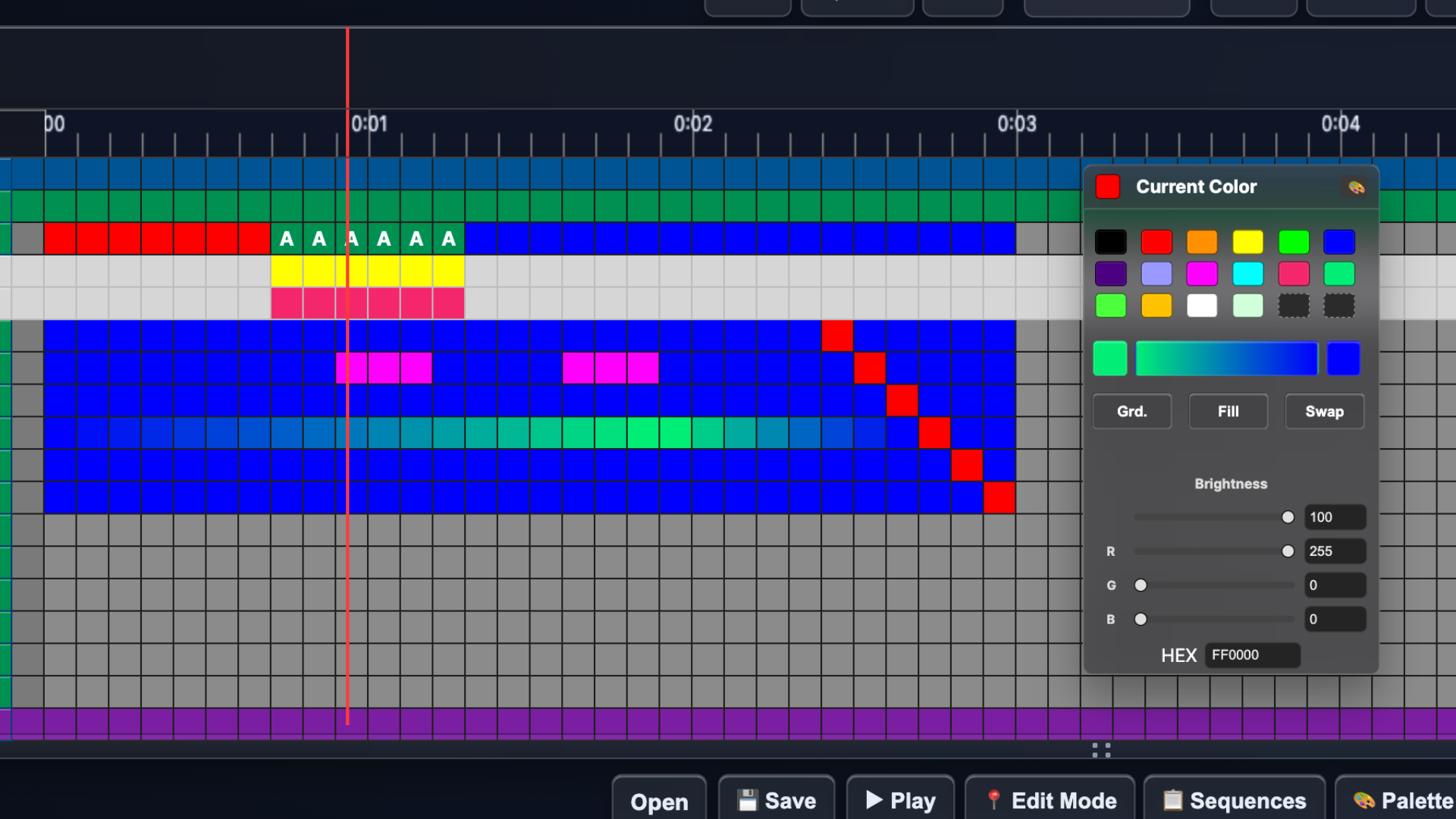
The new Grid Layout makes creating shows faster and more intuitive than ever. Click a cell to add water and set its level, or paint your lighting with a palette of over 16 million colors. Easily highlight areas to illuminate, or design smooth gradient fades that transition from one color to another.
Effortlessly create dynamic wave effects with the new Wave Builder. Simply make your selections, click Preview, and watch your waves move in perfect sync with the music. Experiment freely until you achieve the look you want — then fine-tune the timing so every crest and ripple matches the rhythm flawlessly.
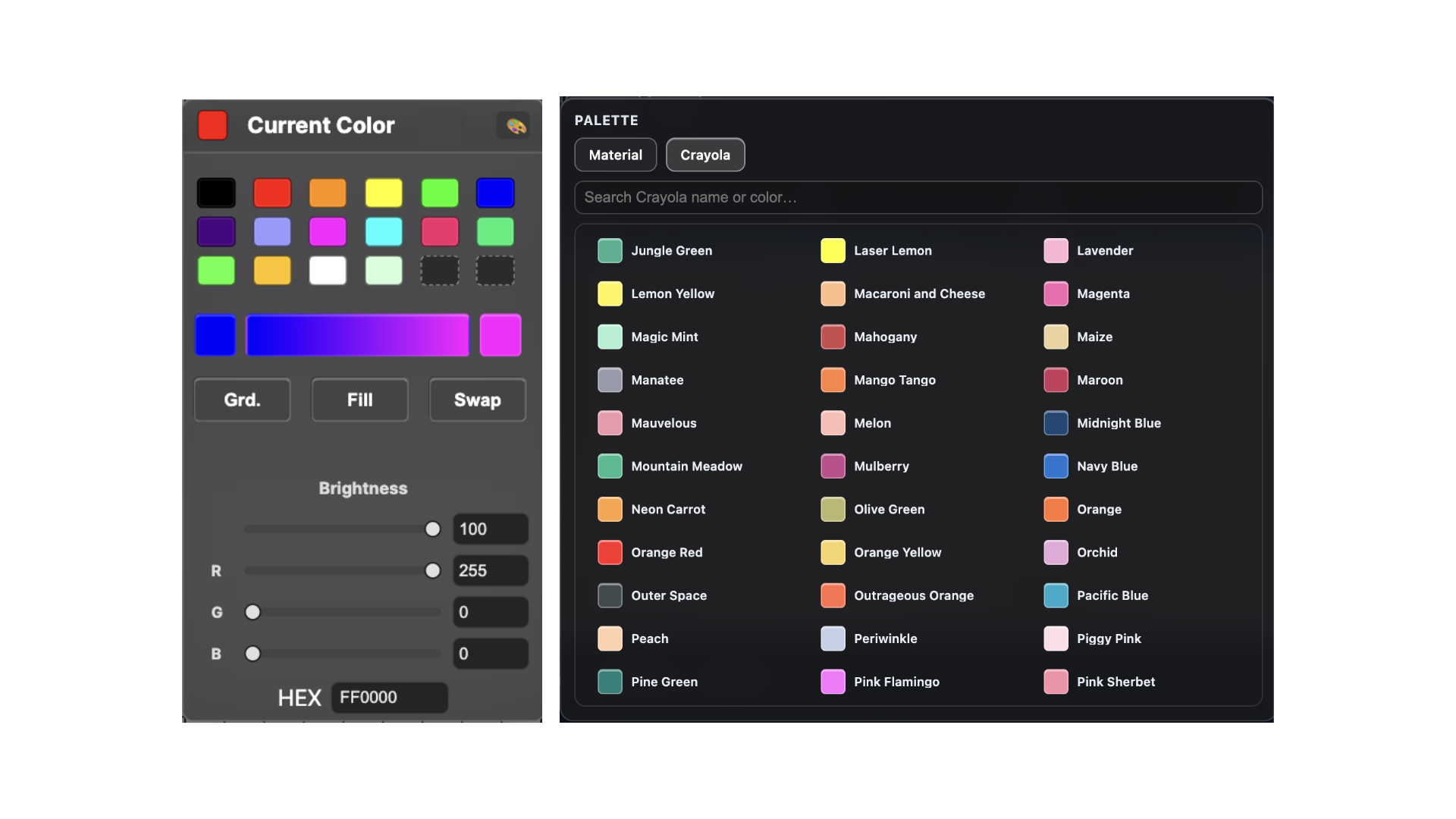
The new Color Palette has been completely redesigned for creativity and control. Choose from extended swatches featuring Google Material and classic crayon colors, or create your own custom shades. Store up to 72 favorite colors for quick access, and use the powerful Gradient Builder to select start and end colors, then fill your chosen cells with smooth, vibrant transitions.
Take your lighting to the next level with Advanced Lighting. Set separate colors for the left and right sides of each water module for stunning new effects. Gain full control of the Peacock's individual lights and craft unique blending effects with the back row lights — giving you unmatched precision and creative freedom.
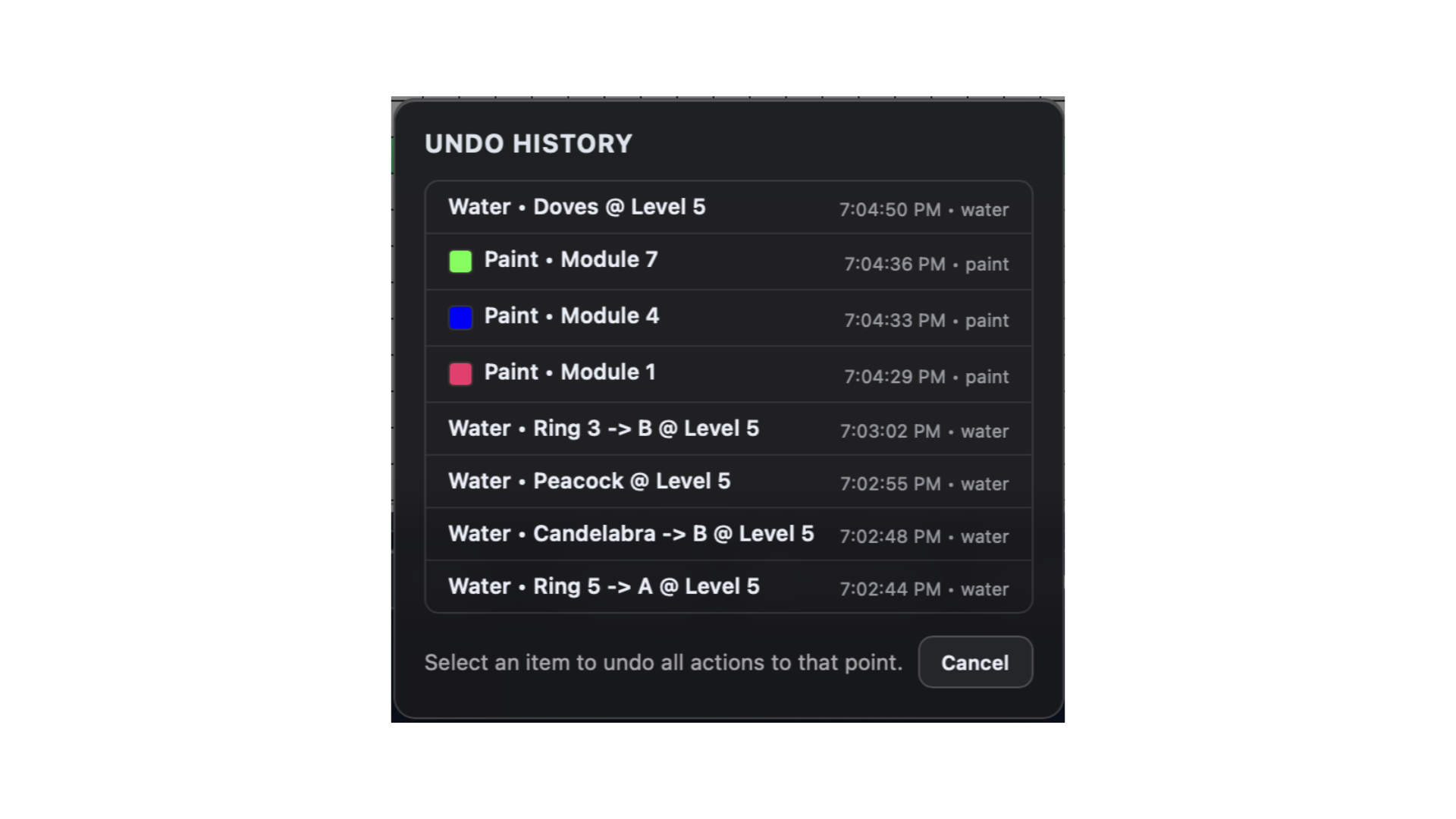
The new Undo History gives you the freedom to experiment without worry. Instantly go back up to 50 steps, with a clear list showing exactly what each change was. Whether you need to undo a single tweak or retract multiple edits, you're always in control.
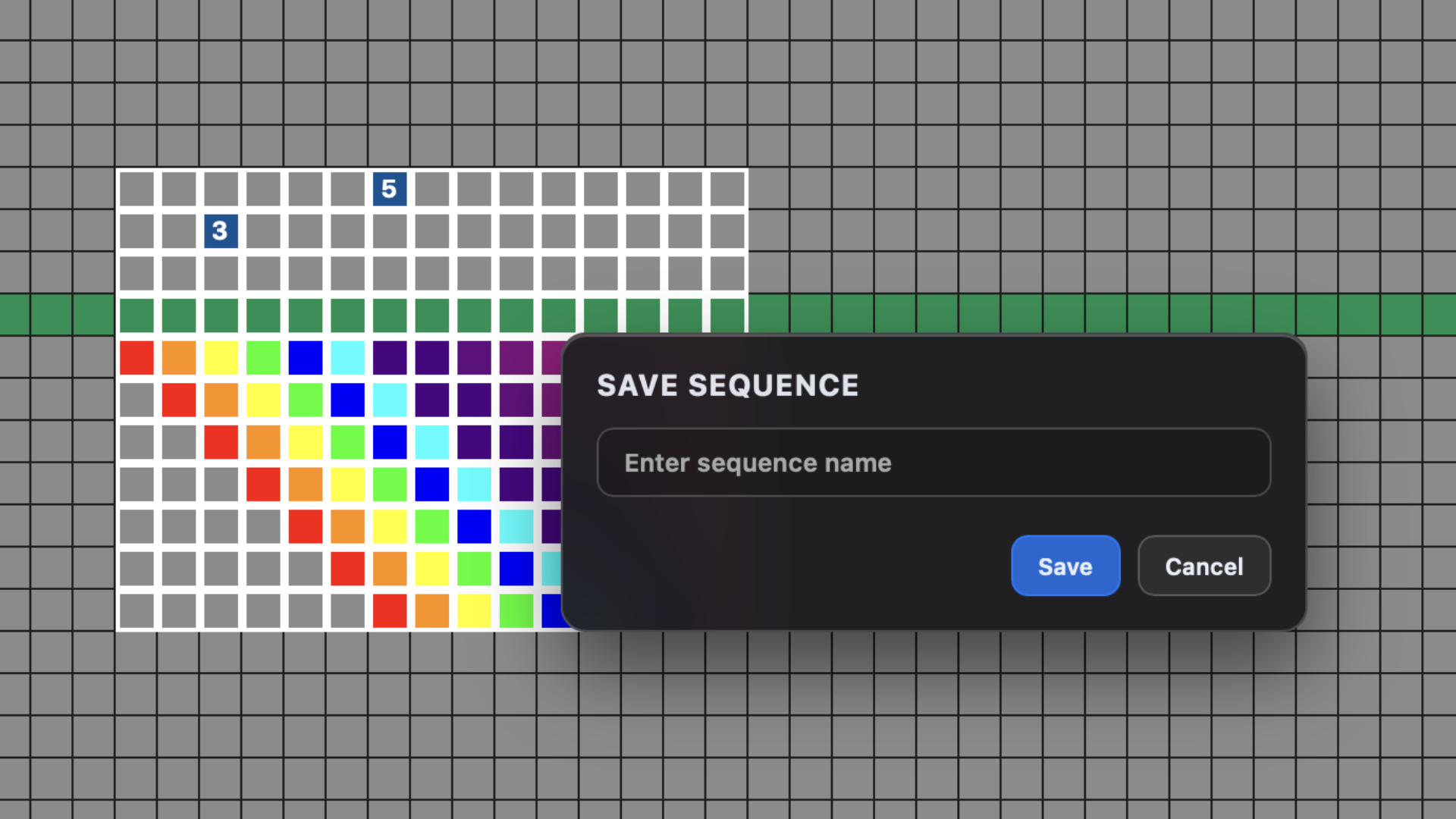
You can now save groups of lights and water changes as reusable Sequences that can be quickly recalled and pasted into your timeline. Use them across multiple songs to recreate your favorite effects instantly — no more rebuilding the same water and lighting patterns from scratch.
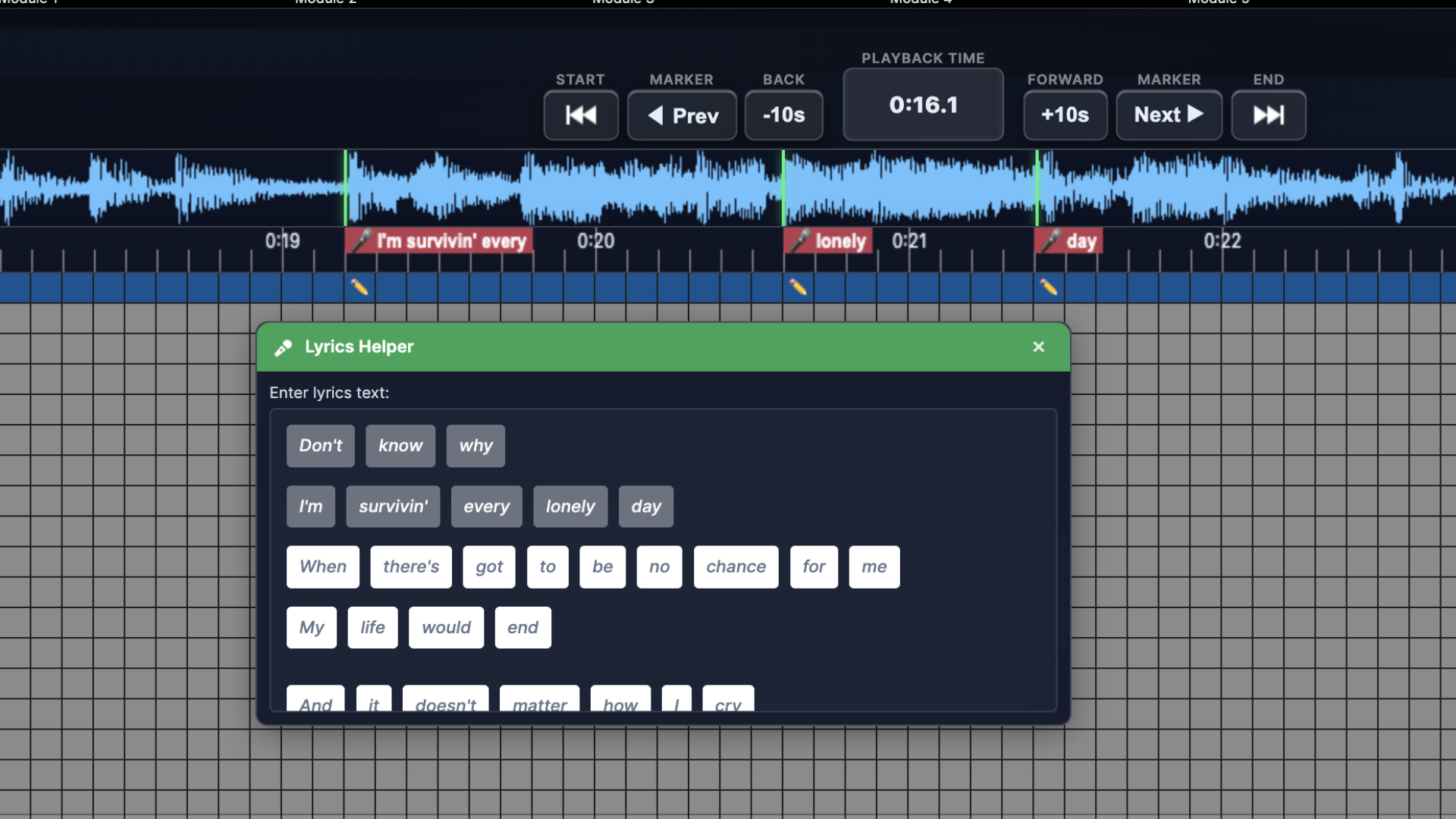
Lyrics Helper makes syncing vocals effortless. Simply paste lyrics from any website into the helper, and it automatically generates clickable word buttons. You can then place these buttons directly onto your timeline—perfectly aligned with the audio waveform—for precise, easy lyric timing.
New keyboard shortcuts make editing faster and more efficient than ever. Use Copy, Cut, Paste, and several other time-saving commands to streamline your workflow and keep your creativity flowing.
AC3 lets you design your entire show visually — no programming skills needed. With a simple click, select, and view, you can build amazing water and lighting sequences in minutes. Turns creative ideas into stunning, synchronized performances effortlessly.
AC3 works with both Macs (M1 or newer) and Windows 10 or 11 PCs. It is free to download and use after registration. A minimum screen resolution of 1920 × 1080 is needed.
Fill out the form below to download your free copy of AC3 today.